The Canvas
The black rectangle at the center is the Canvas, showing the area that will be displayed in your output.
It's the central space of the interface. It is the artboard on which you create your mapping shapes. Anything drawn outside the Canvas won’t appear in the output window, as shown below.
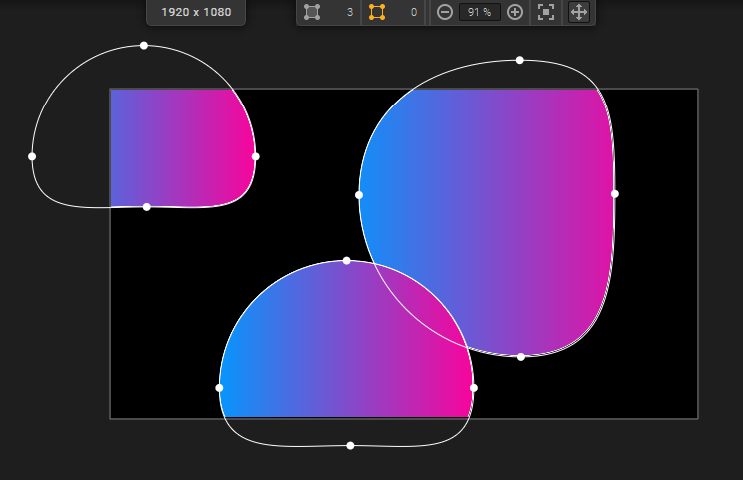
The Canvas size is shown at the top of the work area and can be configured in  Output Setup.
Note :
Only shapes in the currently active sequence (yellow title bar) are displayed in the work area.
Learn how to setup your Canvas properly in « Setting up the Canvas and launching a projection » .
The View toolbar

At the top of the work area, the View toolbar provides:
- Shapes info:
 shows the total number of shapes in the active sequence and
  the number currently selected.
 - Zoom options:
 zoom out,
  zoom in,
  zoom to fit, or edit the value precisely in the input field.
 - Pan options:
 move around the work area.
Learn more about navigating the work area in «Overview & Navigation».
Was this article helpful?
That’s Great!
Thank you for your feedback
Sorry! We couldn't be helpful
Thank you for your feedback
Feedback sent
We appreciate your effort and will try to fix the article