Accessing the DMX Patch
Click on the Edit menu, then select Patch DMX device, or click the dedicated button in the toolbar.
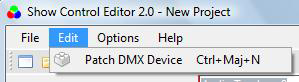
or

Equipment Selection
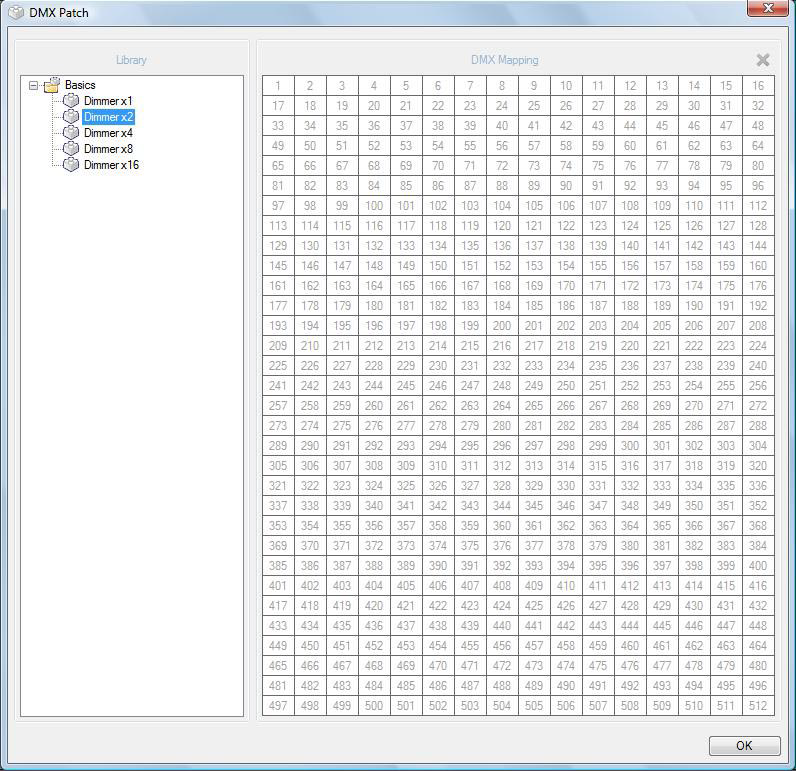
Choose the desired equipment from the left list with the associated number of channels.
A Dimmer is a basic element for managing blocks of dimmers in proportional mode.
DMX Grid Configuration
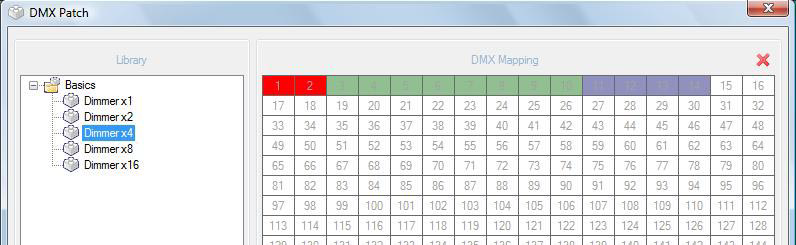
- Drag and drop the selected element from the list into the DMX grid.
- The used DMX channels will be automatically highlighted.
- To delete an element from the grid, click on the cell and press the Delete key on your keyboard.
Validation
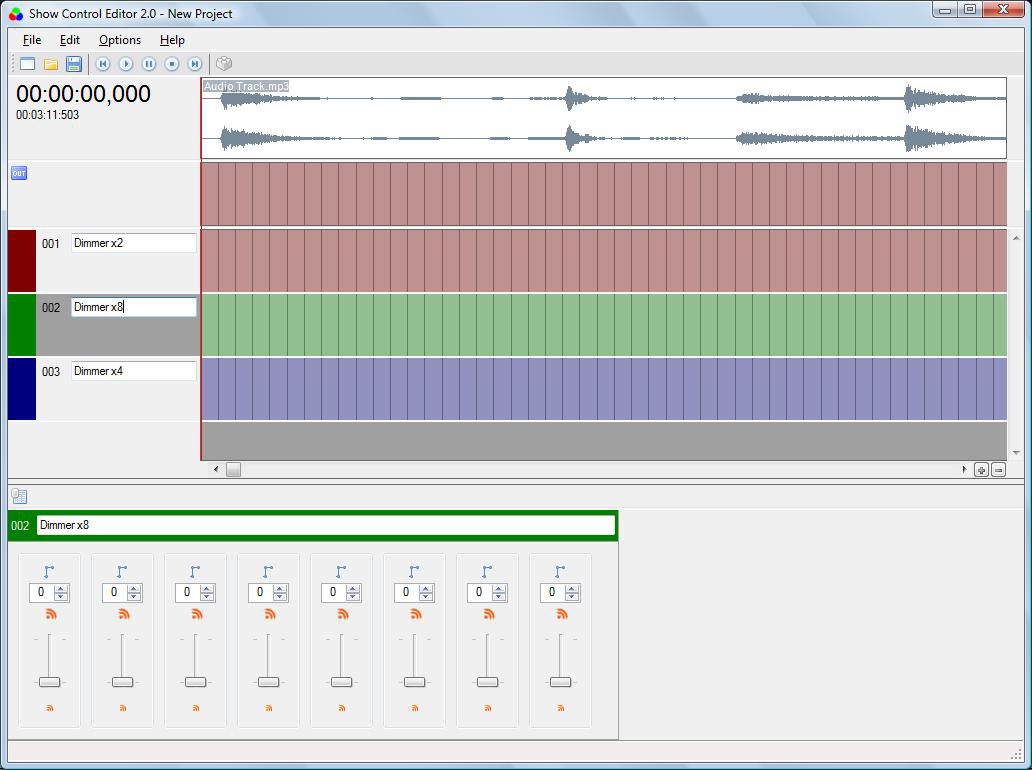
Once your configuration is complete, validate by clicking OK.
The tracks are then automatically created in the main page.
Was this article helpful?
That’s Great!
Thank you for your feedback
Sorry! We couldn't be helpful
Thank you for your feedback
Feedback sent
We appreciate your effort and will try to fix the article