## Article 4: Wavespark Audio - Cloud-Based Audio Management
TABLE DES MATIÈRES
Wavespark Audio allows music providers and integrators to create a custom music and message experience. It is a cloud-hosted software solution.
Wavespark Audio is connected to the AP420 players located at the broadcasting points.
The service is accessible at the following address: https://audio.wavespark.cloud/
To create an account, click on Sign Up. An email is sent to the provided address to validate access to the account.
Interface
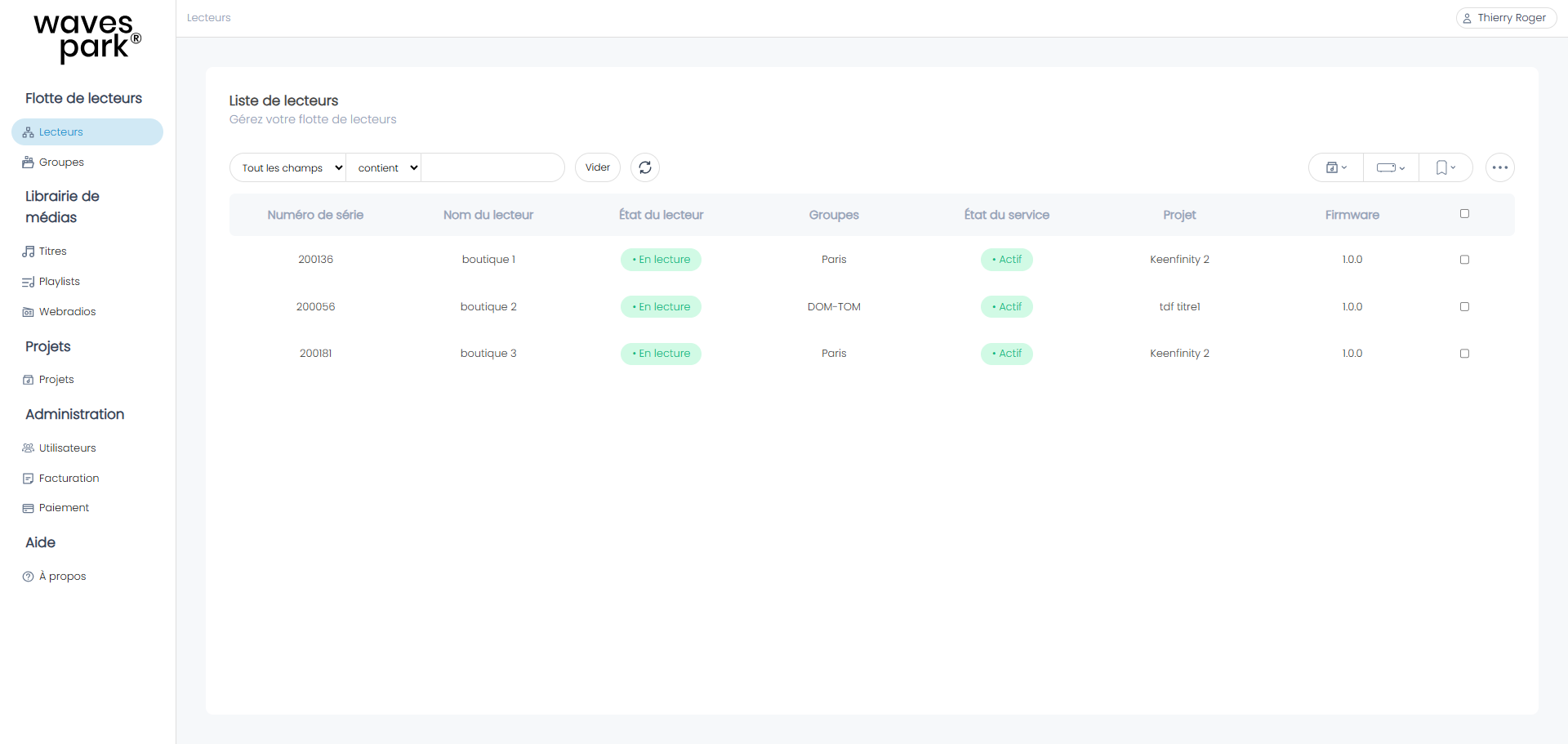
The left column provides access to several menus.
Fleet of Readers
Readers
The menu provides access to all the players in your fleet. This interface allows you to add a new player, assign it to one or more groups, activate a service for a duration of 1 or 12 months, assign a project to it, and update its firmware.
Groups
A group is a label that you can associate with one or more players to help you organize your player lists and perform bulk actions.
To add a group:
- Go to the Groups menu and click on "+Add a Group".
- Enter the group name. The number of players belonging to this group is 0.
- Go to the Player menu, in the Groups column, click on the + or on the name of the group already displayed. You can add a player to one or more groups.
Once the players are associated with groups, use the search bar to display only the players in a group.
Media Library
Tracks
The Tracks menu allows you to upload tracks to the cloud via drag and drop.
Playlists
The Playlists menu allows you to create playlists by enriching them with tracks previously loaded in "Tracks" or directly from your computer.
Webradios
The Webradios menu allows you to index webradios and associate a backup playlist in case of a stream failure.
Projects
A project contains a broadcast calendar for music programs and message programs. The Projects menu allows you to create or duplicate audio projects.
It also includes a reading scenario to describe the interactive operation of the players.
Administration
Users
Allows you to invite a new user and assign them read/write permissions.
Billing
Displays the payment estimate for the current month as well as the history of previous invoices.
Payment
Allows you to create or update your payment method among credit card and SEPA payment.
Help
The menu provides access to the Terms and Conditions, release notes, and support email.
Was this article helpful?
That’s Great!
Thank you for your feedback
Sorry! We couldn't be helpful
Thank you for your feedback
Feedback sent
We appreciate your effort and will try to fix the article