TABLE OF CONTENTS
AP420
To broadcast background music or web radios, you need to create music programs and schedule them in the Player's calendar.
Note
Projects created on internal memory cannot be exported.
We invite you to use Wavespark to benefit from online backup of your project.
You can also create them on removable drives and then copy them to your computer.
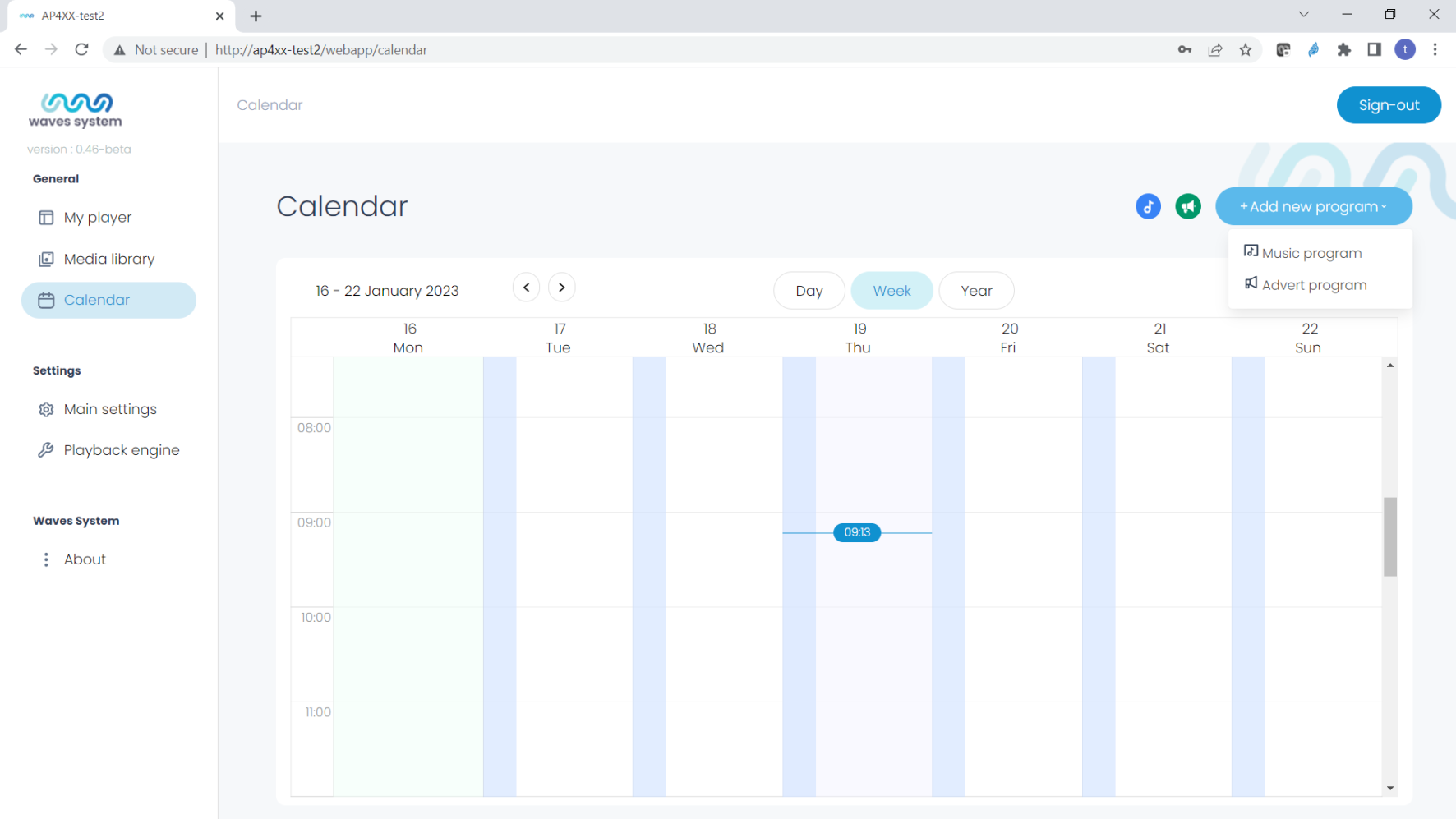
The calendar menu allows you to:
- Create one or more music programs,
- Create one or more announcement programs,
- View your different programs in a daily, weekly, or yearly view.
To make visualization easier, you can filter only music or advertising programs using the blue and green icons.
Wavespark Audio
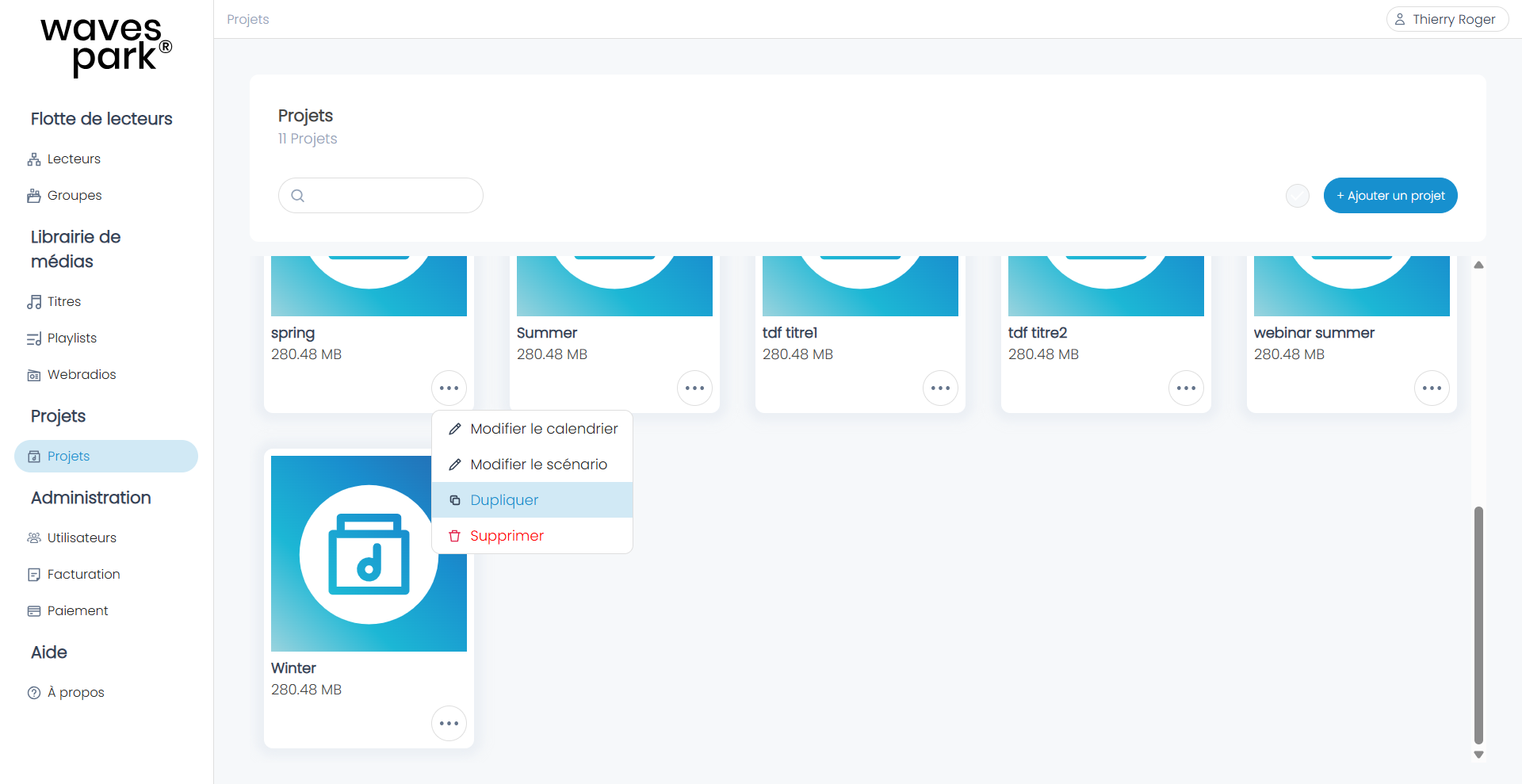
The platform introduces the concept of a project, which includes the calendar and the Scenario. You can create and duplicate a project.
A project is then associated with a Player in the Players menu, under the Project column, by clicking on the project name of the Player.
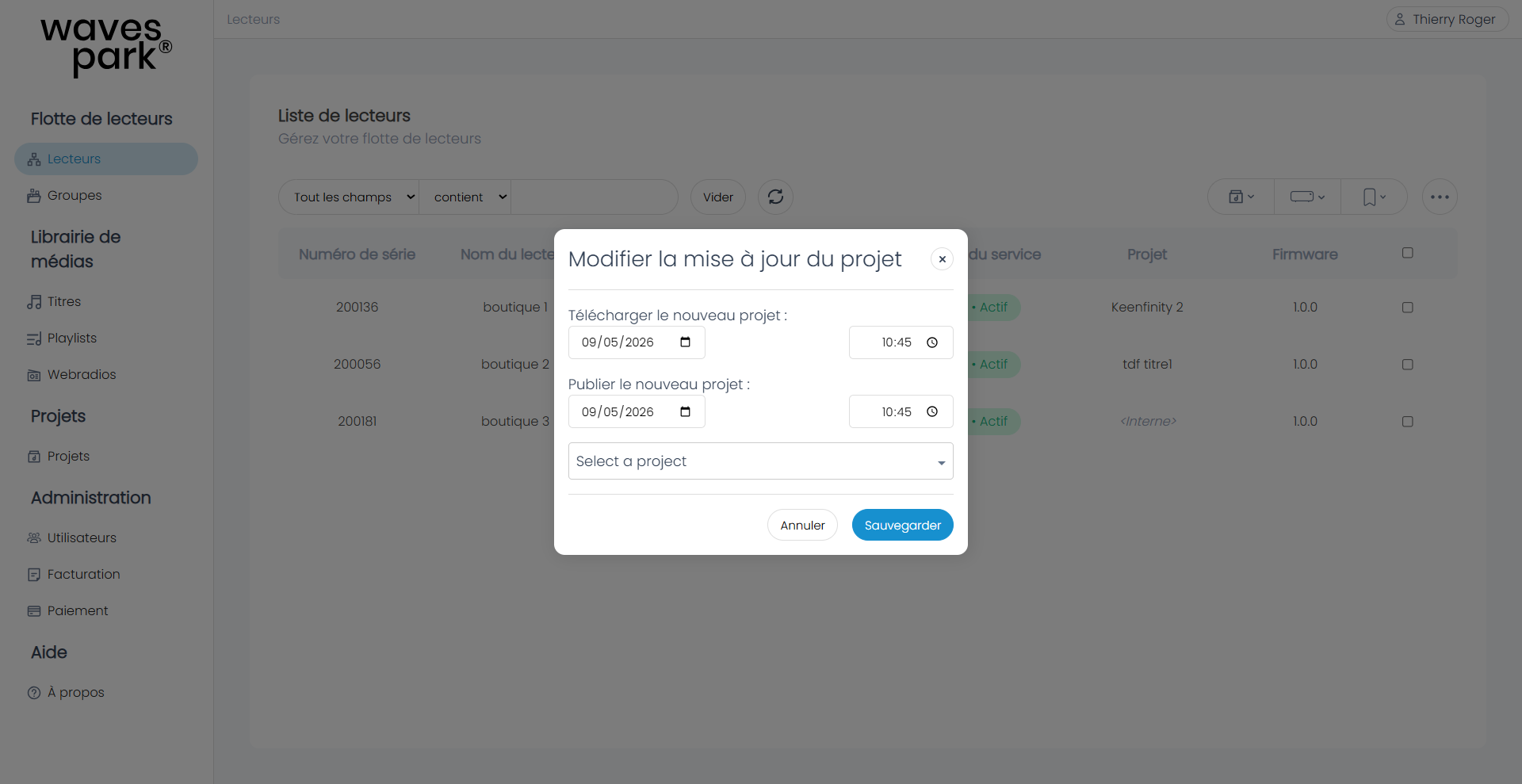
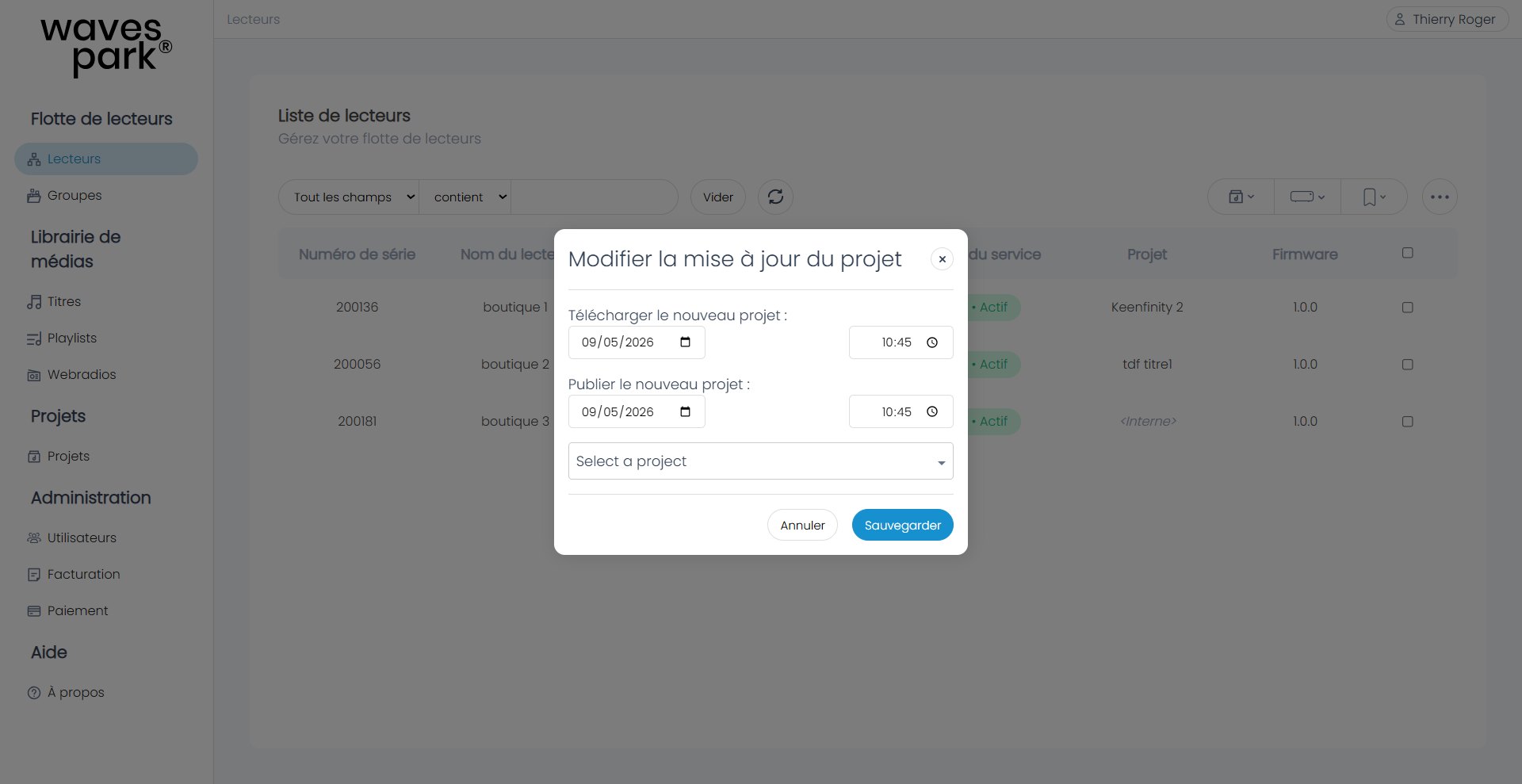
You can also assign a project to multiple Players by selecting the Players with the checkbox on the right and then clicking on the project icon: 
Was this article helpful?
That’s Great!
Thank you for your feedback
Sorry! We couldn't be helpful
Thank you for your feedback
Feedback sent
We appreciate your effort and will try to fix the article