The AP420 Player allows you to broadcast sound announcements that overlap with background music at scheduled times.
An announcement program is defined by whether or not it repeats within a broadcast range, a content selection from the media library, playback properties, with or without scheduled recurrences.
TABLE DES MATIÈRES
About AP420
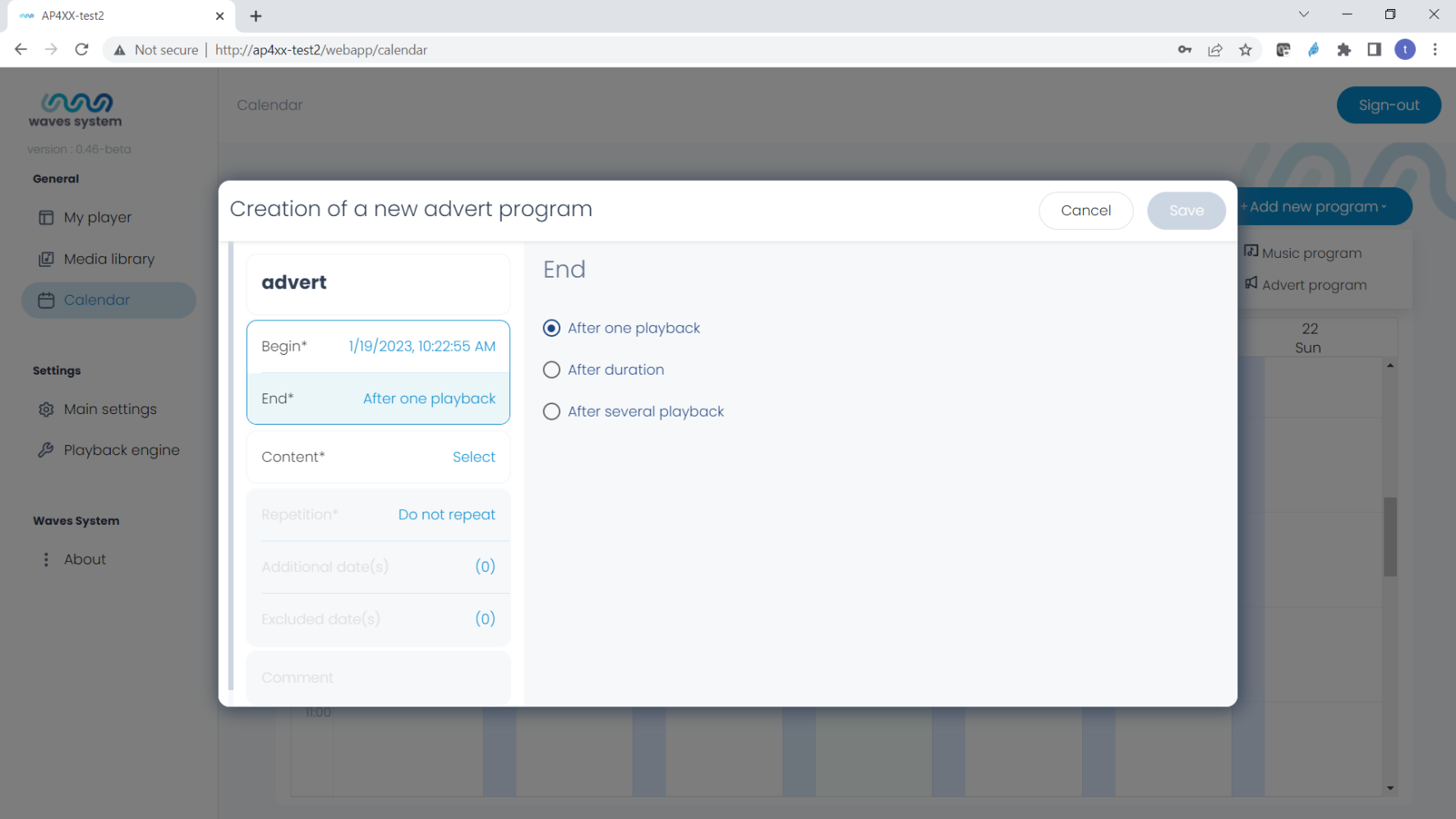
Create an Announcement Program
- Go to Calendar.
- Click on « +Add a Program » → « An Announcement Program » or double-click on the calendar at the program start location.
- Name the program.
- Select the date and start time of the program.
- Select the end time of the program.
The program can end « After one playback » of all content.
The program can also repeat in 2 modes:- The « After duration » mode determines a time range and repetition frequency.
- The « After multiple playbacks » mode determines the number and frequency of playbacks.
Each playback plays the entire content by default.
- Select the content.
You can choose multiple titles and multiple playlists. All content will be played by default. - Define the number of titles.
Choose here the number of titles played each time the announcement program is broadcast:
- All titles: All titles in the program are played.
- Custom: Only the defined number of titles is played.
If the number of requested titles exceeds the number of titles contained in the program, the program will repeat the content playback until the exact number of desired titles is reached.
Repeating the Announcement Program in the Calendar
You have created an announcement program and want to deploy it in your calendar. Use the repeat function to select the days, months, and end date of the program repetition.
Comments
You can add comments to your program in this area.
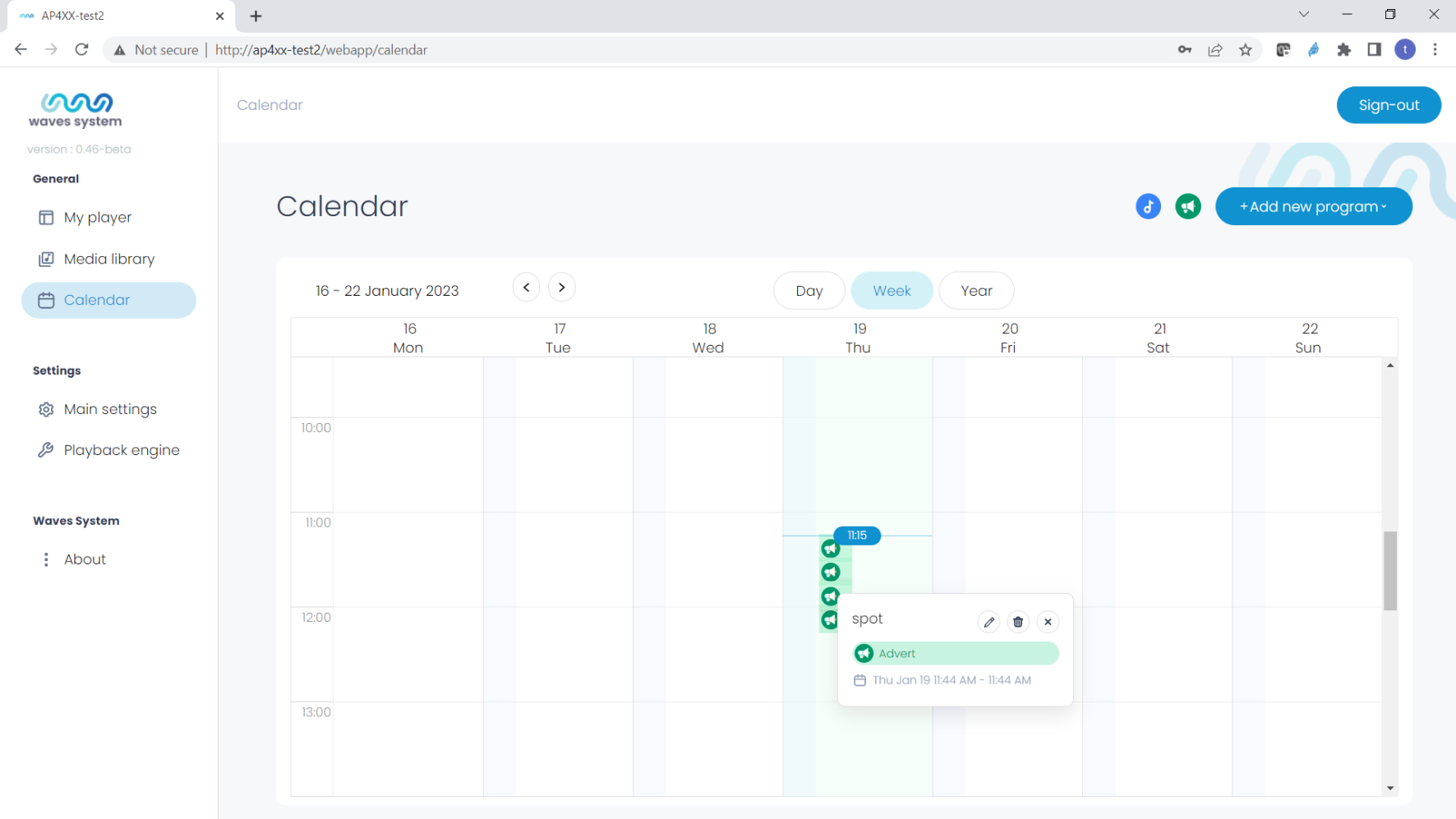
Edit a Program
Click on your program to open the context window and select « Edit », « Delete », or « Close the context window ».
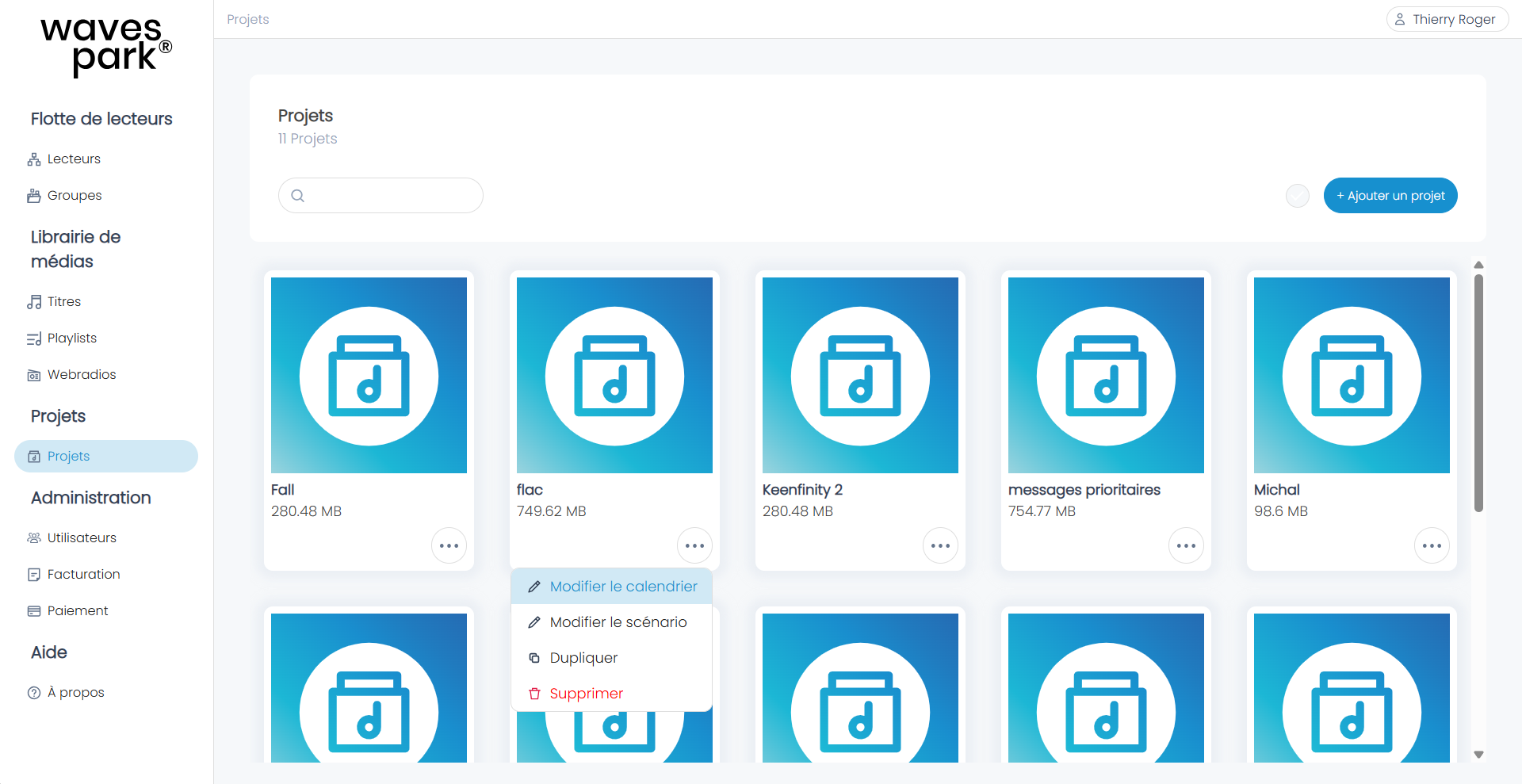
About Wavespark Audio
Go to the Projects menu, create a new project, and then edit the calendar. The following steps are identical to those on the AP420.
Was this article helpful?
That’s Great!
Thank you for your feedback
Sorry! We couldn't be helpful
Thank you for your feedback
Feedback sent
We appreciate your effort and will try to fix the article