TABLE DES MATIÈRES
- Creating Interactive Audio Experiences with Scenario
- Main Features
- Available Triggers
- Automatic Web Remote Control
- Simple or Advanced Scenarios
Creating Interactive Audio Experiences with Scenario
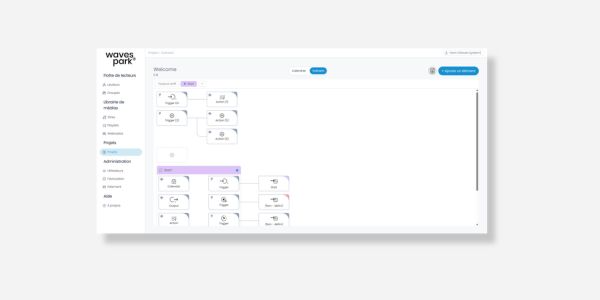
Scenario allows you to create interactive behaviors on AP420 Players and Wavespark without any development.
Trigger a playlist, broadcast a priority message, or control a relay from a simple visual interface.
Main Features
- Triggering playlists
- Broadcasting priority messages
- Relay control
- Automation of audio actions
- Creating interactive workflows
Available Triggers
Scenario transforms various events into automatic actions on your audio Players.
- Web button on smartphone
- Physical contact
- Timer
- System trigger
You choose the trigger and the action to execute.
This functionality is particularly suited for priority messages, conditional sound environments, and scheduled sequences.
Automatic Web Remote Control
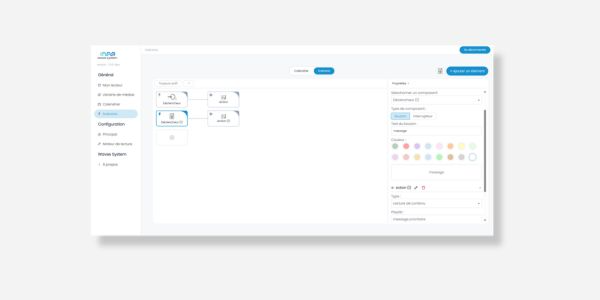
A web control interface can be automatically generated from a scenario.
Users access the controls from their smartphone via a QR code, without access to the configuration settings.
Check out the release notes
Simple or Advanced Scenarios
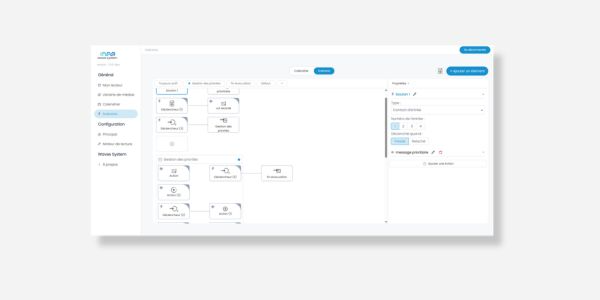
A scenario can consist of a simple trigger and action, or integrate more advanced logic.
- Broadcast priorities
- Automatic sequences
- Conditional actions
- State machine
In Wavespark Pro version, each triggered broadcast also appears in the system logs.
Was this article helpful?
That’s Great!
Thank you for your feedback
Sorry! We couldn't be helpful
Thank you for your feedback
Feedback sent
We appreciate your effort and will try to fix the article