TABLE DES MATIÈRES
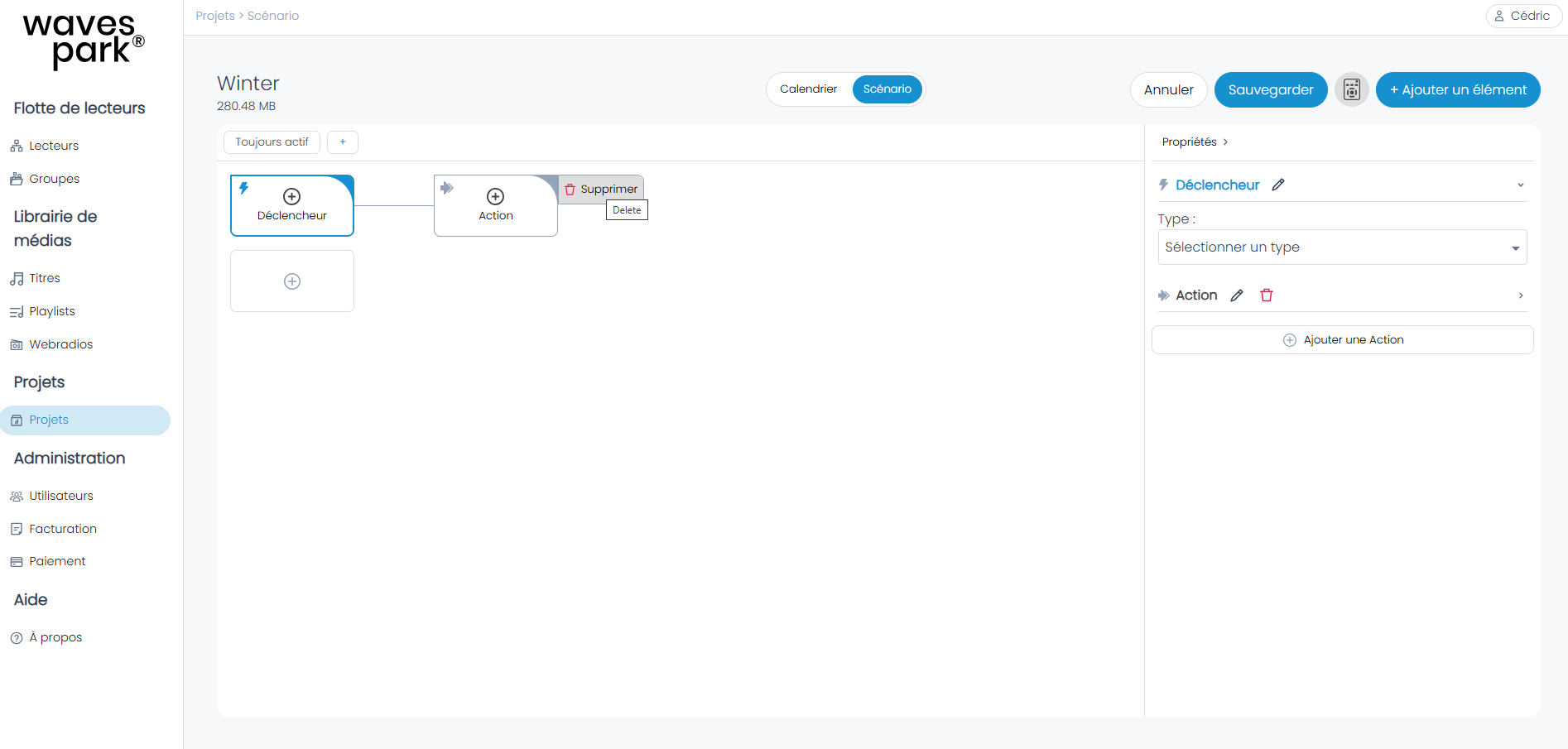
Delete actions and triggers
- Hover over each of the triggers and states with your mouse; a delete button appears on the right.
- Click on delete.
- Once the elements are deleted, click on "Save."
Delete entire scenario
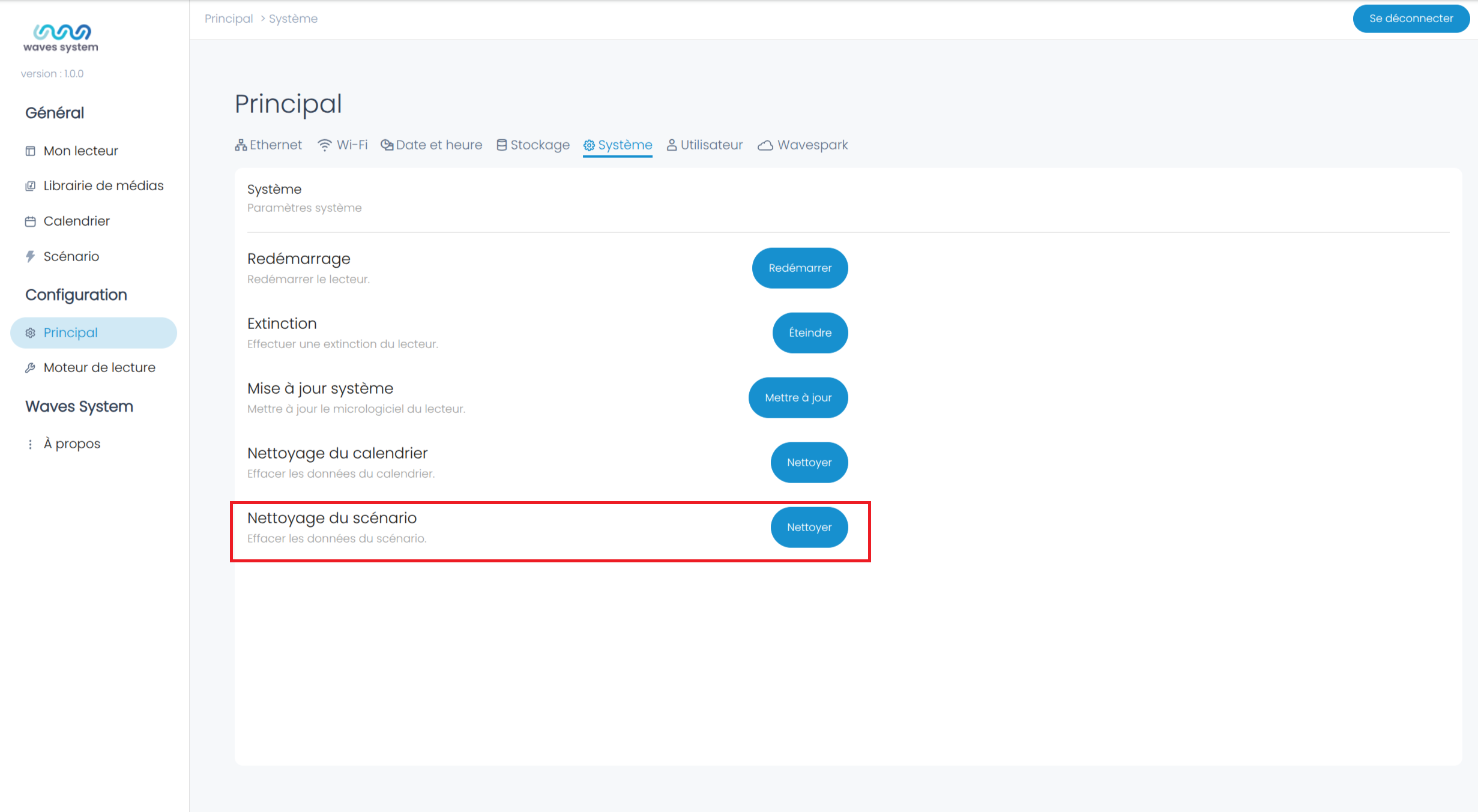
AP420
- Go to Configuration -> Main
- Select "System"
- then click on "Clean" next to Scenario Cleanup
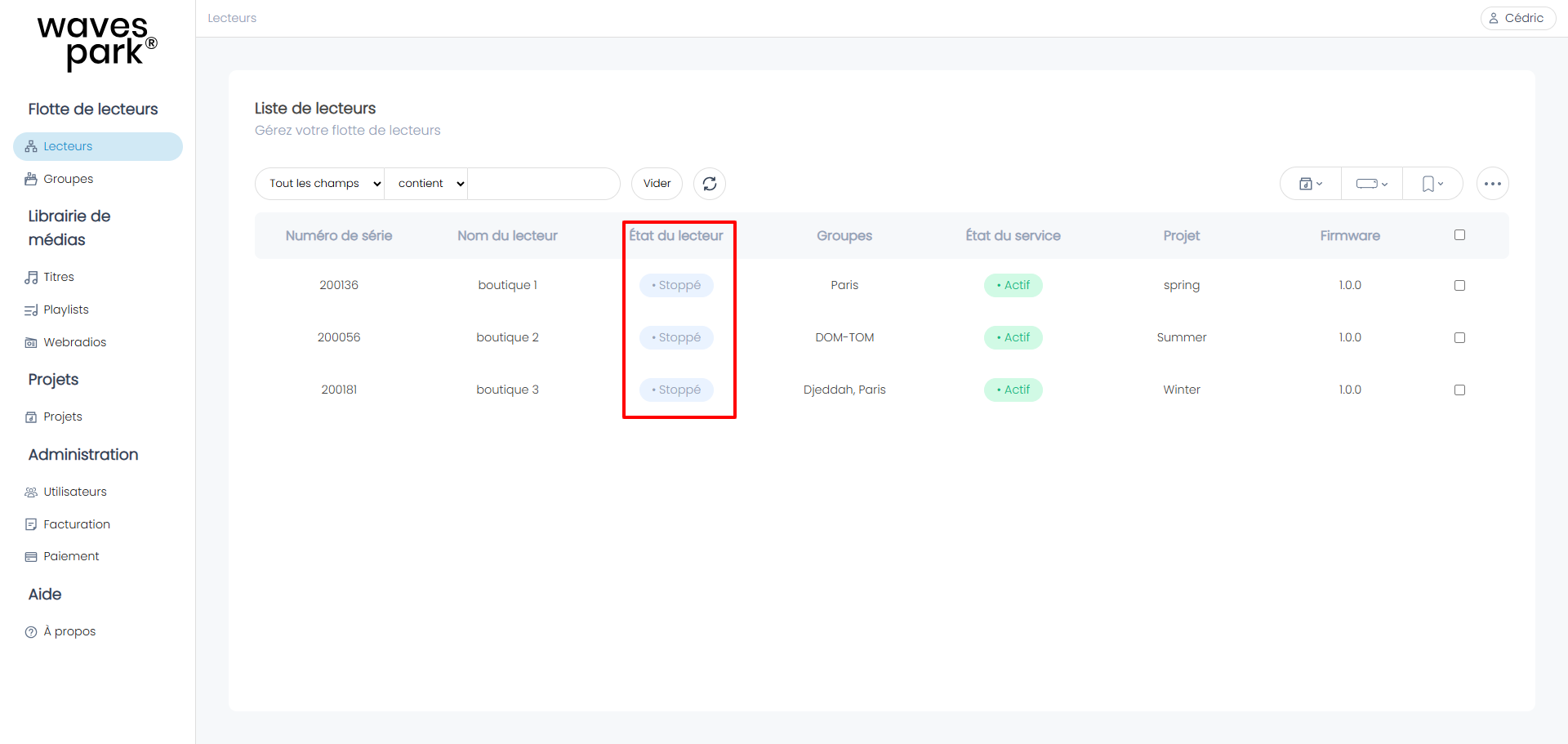
Wavespark
Go to Players and select the Player by clicking on its status
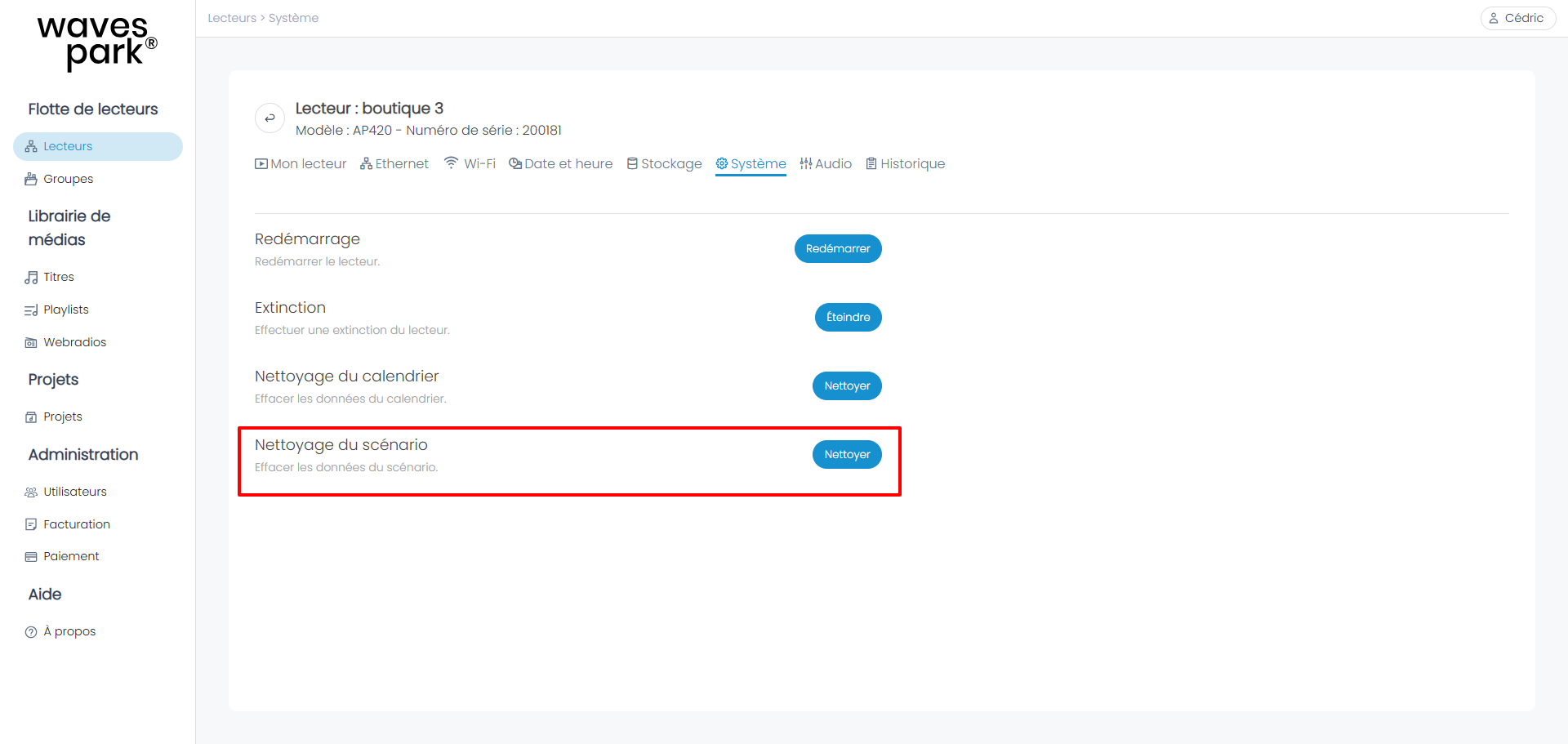
then click on "Clean" next to Scenario Cleanup
Was this article helpful?
That’s Great!
Thank you for your feedback
Sorry! We couldn't be helpful
Thank you for your feedback
Feedback sent
We appreciate your effort and will try to fix the article