On AP420
On Wavespark
Access a player's audio settings by clicking in the Player Status column field.
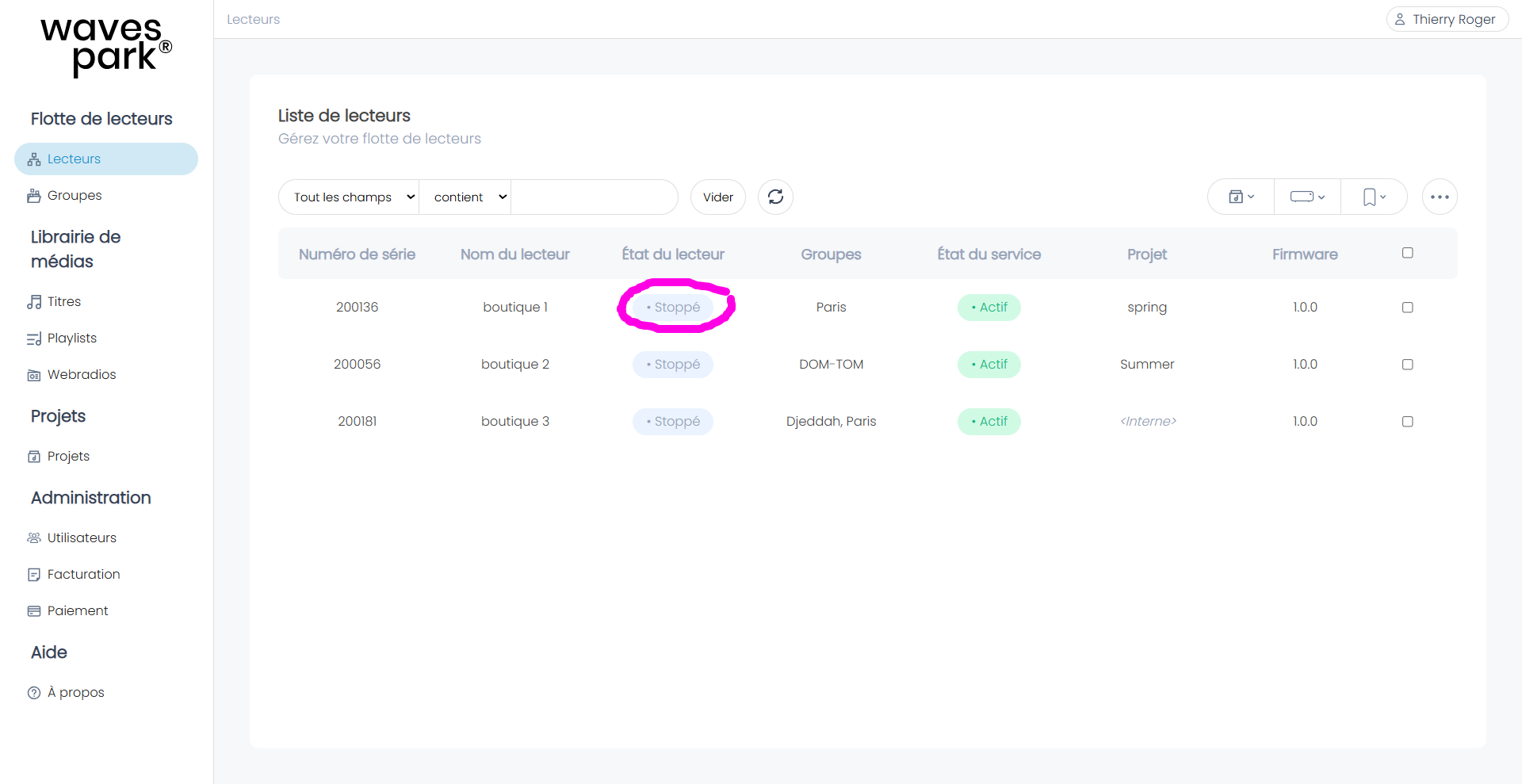
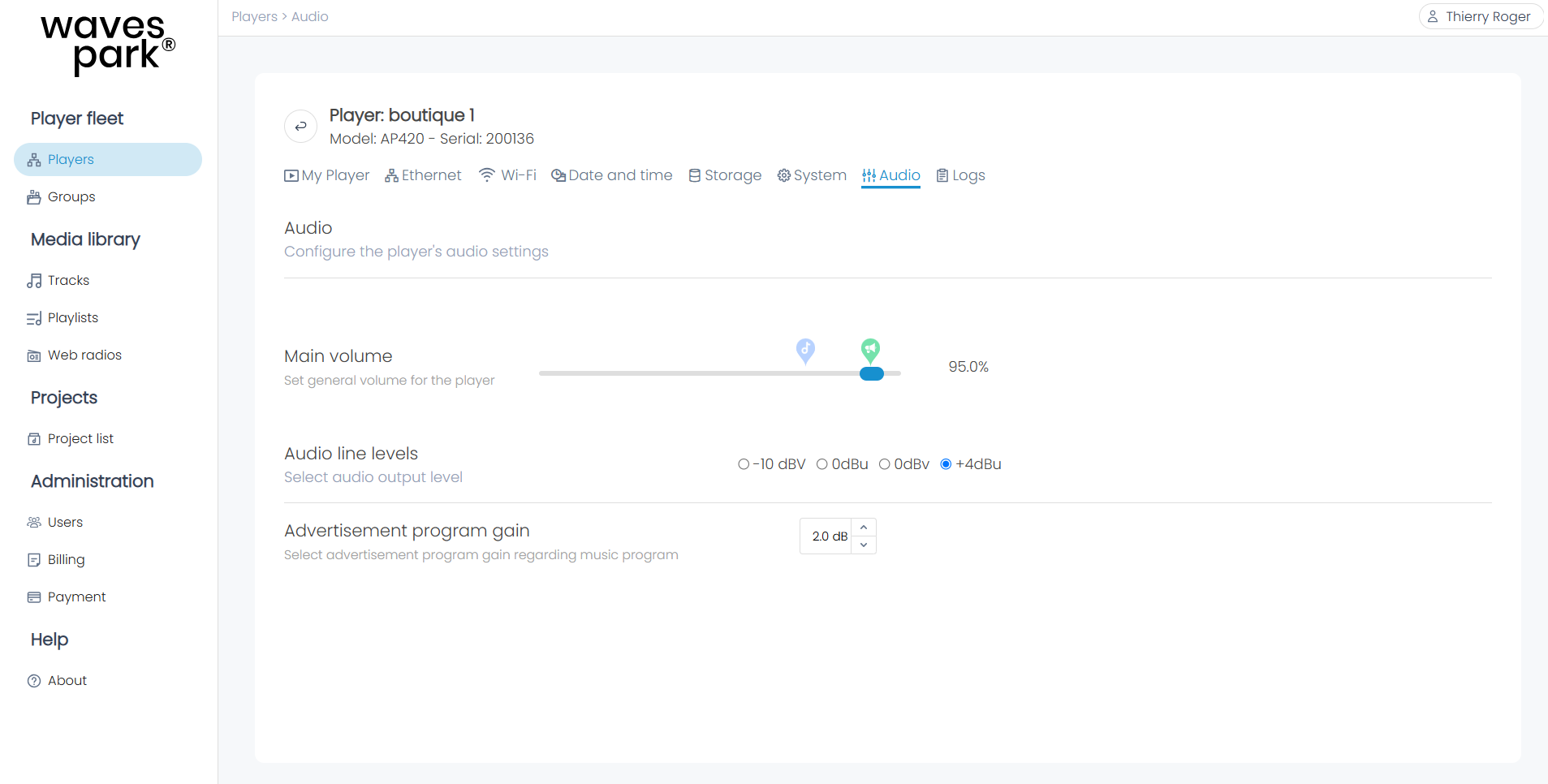
Select the Audio tab and:
- Adjust the player's general volume between 0% and 100%.
- Select the audio line levels between -10dBV, 0dBu, 0 dBV, and +4dBu.
- Adjust the volume gain of announcements relative to music.
Was this article helpful?
That’s Great!
Thank you for your feedback
Sorry! We couldn't be helpful
Thank you for your feedback
Feedback sent
We appreciate your effort and will try to fix the article