My Music Player
Front panel
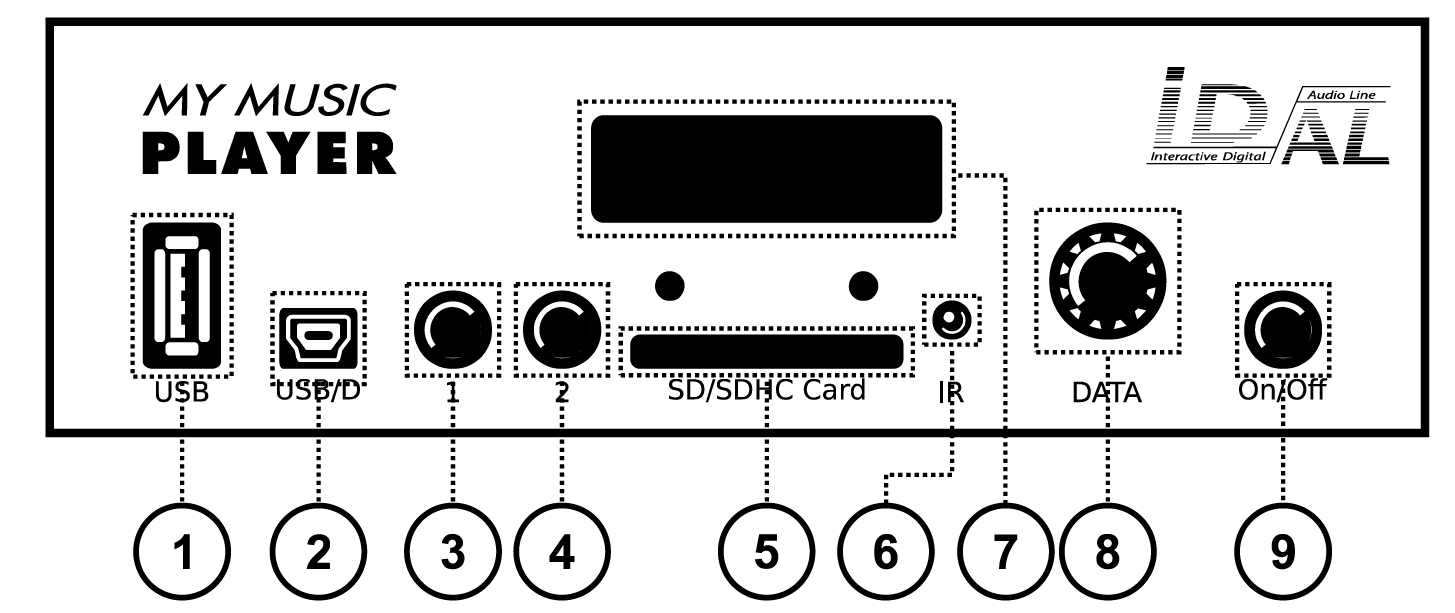
- External USB host port for a USB flash drive
- Mini-B USB device port (updates from a computer)
- Button 1 – Play / Stop
- Button 2 – Next track or next internet radio station
- SD / SDHC memory card slot
- Infrared sensor
- LCD screen
- Push-button rotary knob (control and configuration)
- Power switch
Rear panel
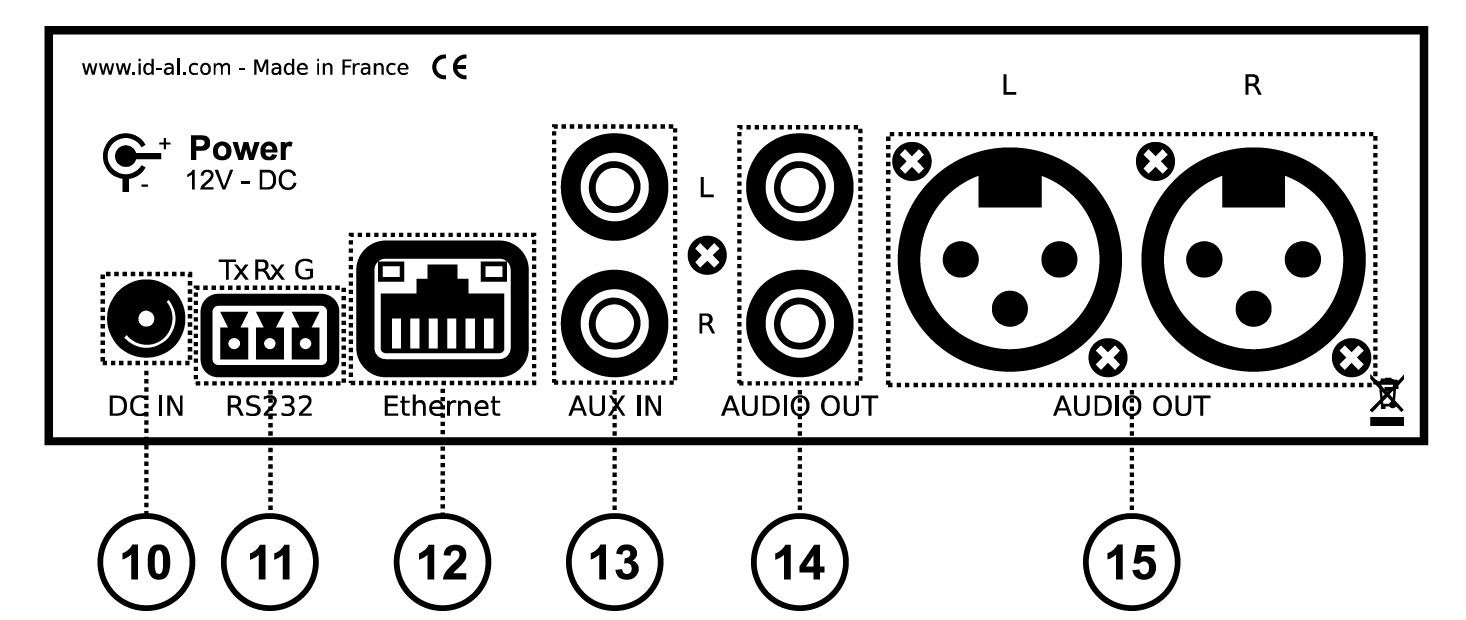
- Power input
- RS-232 serial port
- RJ45 Ethernet port
- Auxiliary stereo line-level audio input (RCA)
- Stereo line-level audio output (RCA)
- Balanced stereo line-level audio output (XLR)
Mounting points and internal connectors
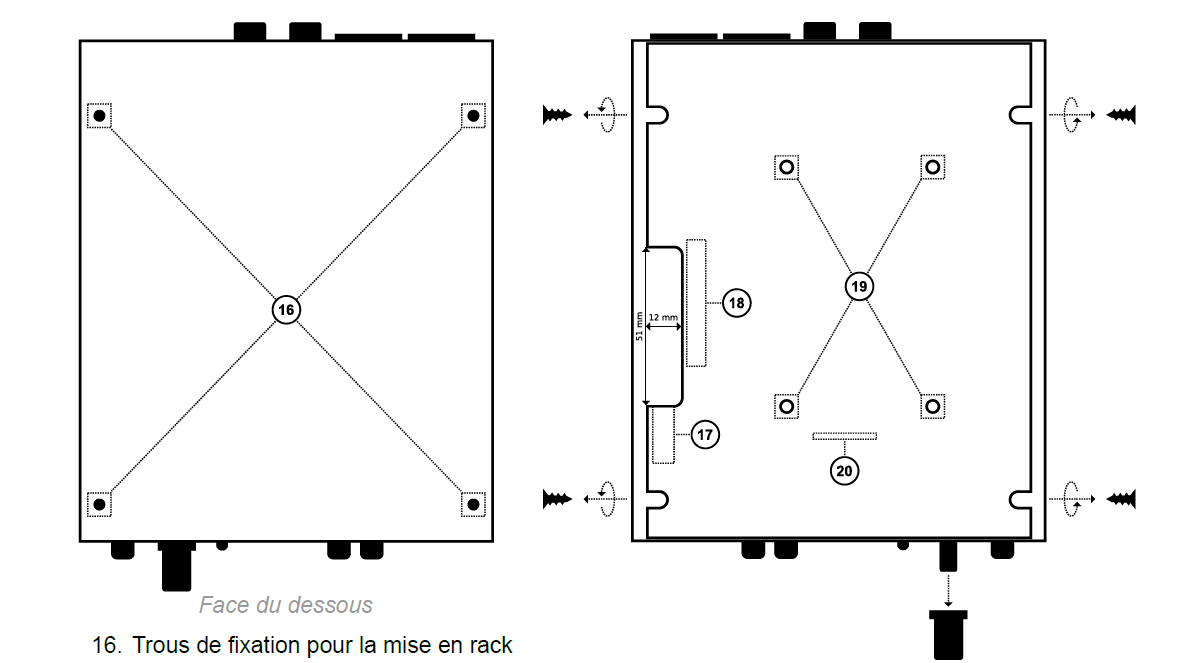
- Rack-mounting holes
- Internal USB host port for a USB flash drive
- SATA connector for an SSD (HW V1.0 only)
- Mounting point for an optional SSD kit
- Internal LCD screen connector
My Music Player LE
Front panel
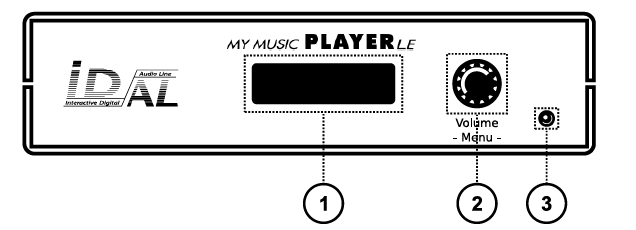
- LCD screen
- Push-button rotary knob (control and configuration)
- Infrared sensor
Rear panel
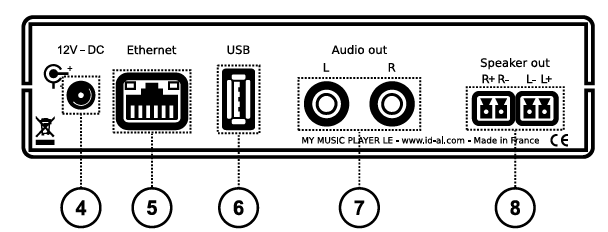
- Power input
- RJ45 Ethernet port
- External USB host port for a USB flash drive
- Stereo line-level audio output (RCA)
- Amplified stereo audio output
Infrared remote control
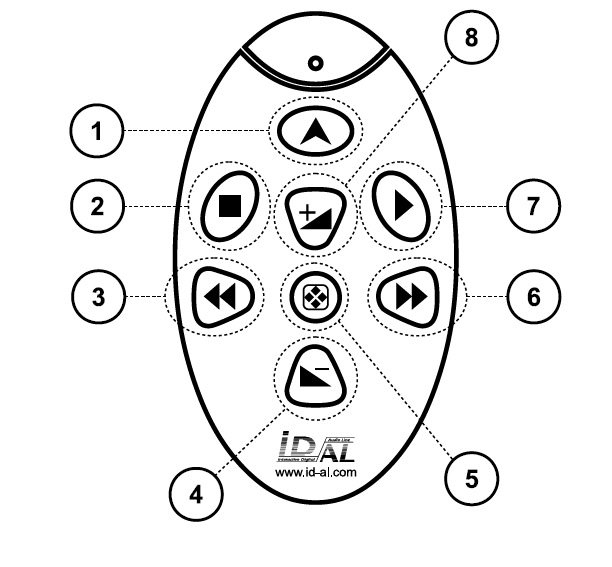
- Not used
- Stop playback
- Next track or next internet radio station
- Volume down
- Not used
- Previous track or previous internet radio station
- Play
- Volume up
Was this article helpful?
That’s Great!
Thank you for your feedback
Sorry! We couldn't be helpful
Thank you for your feedback
Feedback sent
We appreciate your effort and will try to fix the article