The following diagrams show the connection options available on the My Music Player and My Music Player LE. Connect only the devices needed for your installation.
Warning: the player must be switched off before connecting any device.
My Music Player
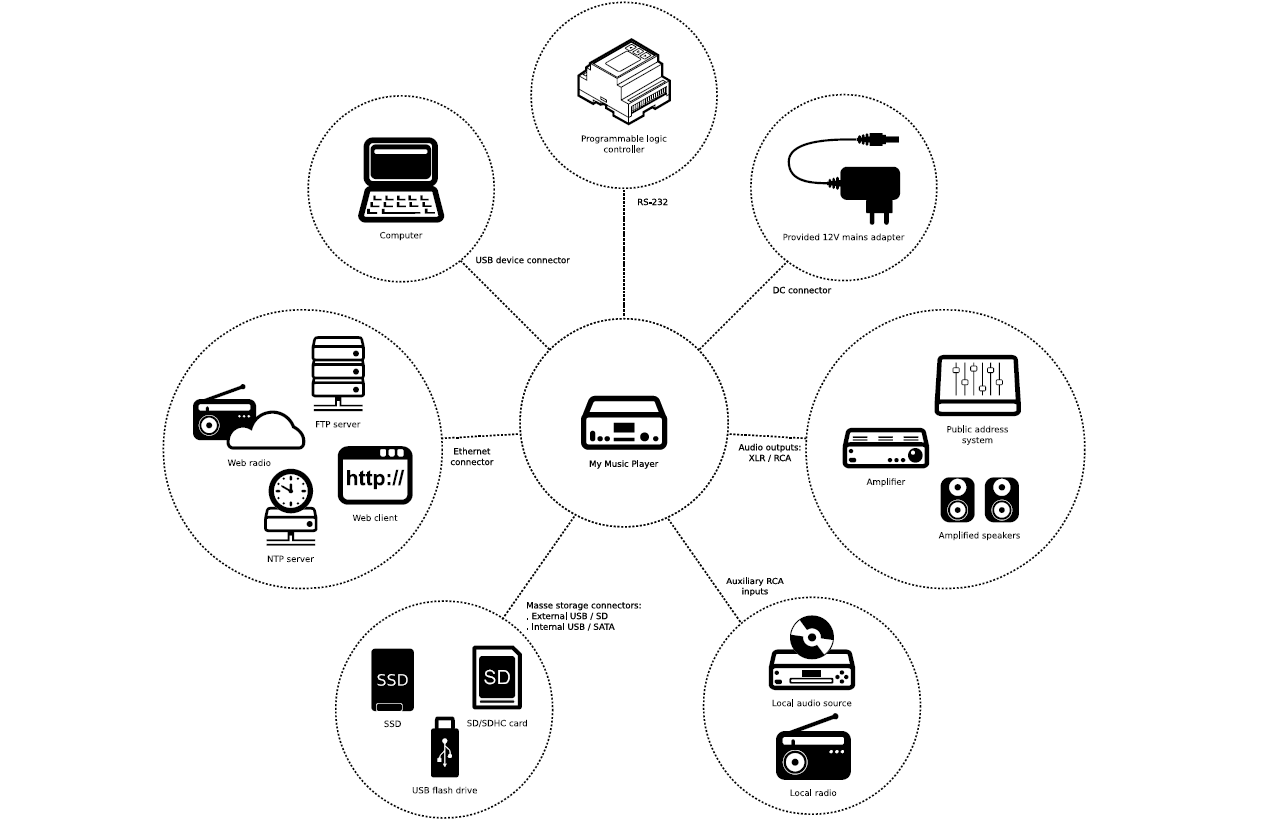
- RCA and XLR audio outputs: connect the player to an audio system, an amplifier or powered speakers.
- RCA auxiliary audio input: connect an external audio source, such as a radio or an audio player.
- Storage: an external USB port and an SD/SDHC card slot on the front panel, an internal USB port and an internal SSD storage option. The SATA connector for an SSD is available on hardware version HW V1.0 only.
- RJ45 Ethernet port: connect the player to the network to access internet radio, manage content remotely and synchronize the time via NTP.
- Mini-B USB device port: connect the player to a computer to manage the content of the main storage device.
- RS-232 serial connection: control the player from a programmable logic controller (PLC), a computer or a remote control using this connection.
- Power input: connect the supplied 12 V mains adapter.
My Music Player LE
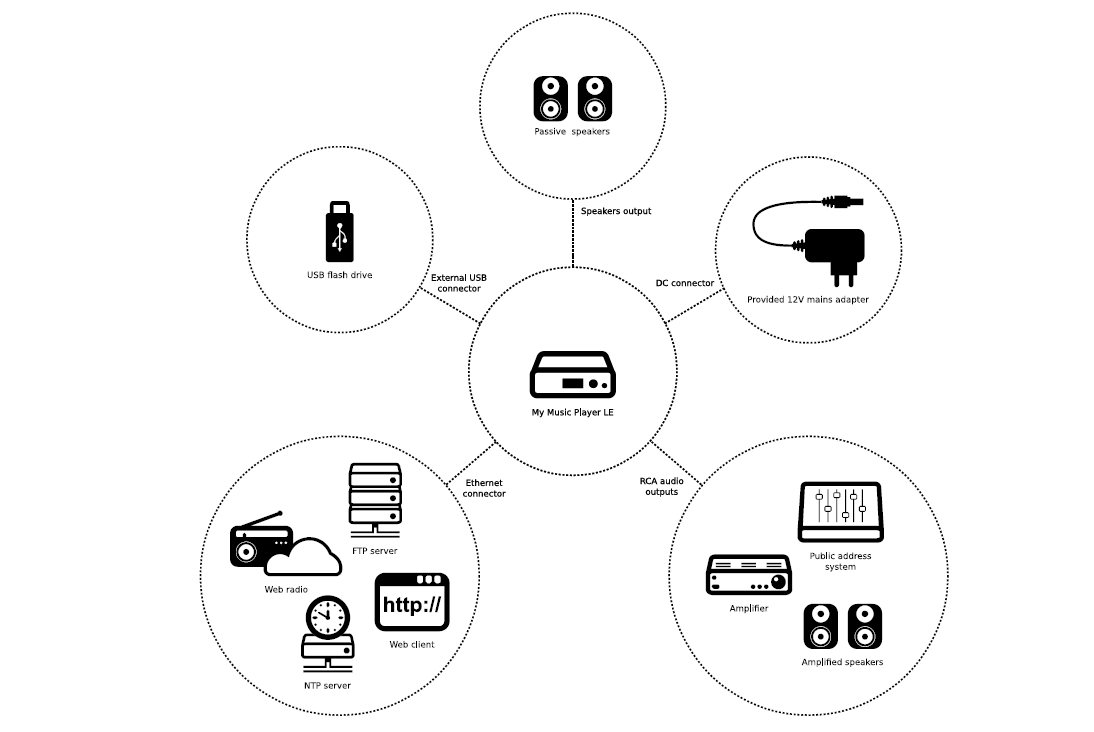
- RCA audio output: connect the player to an audio system, an amplifier or powered speakers.
- Amplified audio output: connect passive speakers to the removable terminal block.
- USB host port: connect the USB flash drive used as the main storage device.
- RJ45 Ethernet port: connect the player to the network to access internet radio, manage content remotely and synchronize the time via NTP.
- Power input: connect the supplied 12 V mains adapter.
Main storage device: both models require a main storage device, called Main Media, to operate. It contains the audio files, playlists, configuration files and schedules.
Was this article helpful?
That’s Great!
Thank you for your feedback
Sorry! We couldn't be helpful
Thank you for your feedback
Feedback sent
We appreciate your effort and will try to fix the article