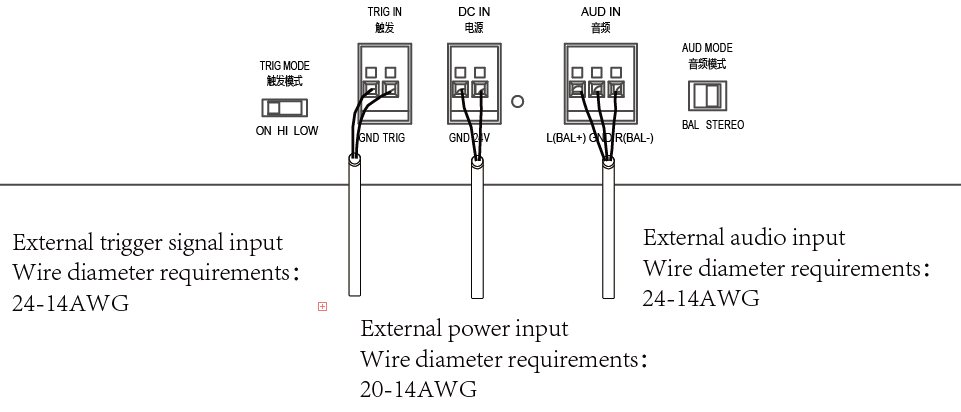
The Cube features a trigger system that allows audio playback to be conditioned by an external signal, such as an infrared sensor or a PLC. The connection is made via the TRIG IN connector and must be paired with the corresponding setting of the TRIG MODE switch.
TRIG IN Connector Terminals
| Terminal | Description |
|---|---|
| GND | Trigger signal ground |
| TRIG | Incoming trigger signal (DC 3.3 V) |
The trigger cable gauge must be between 24 and 14 AWG.
Configure the TRIG MODE Switch
The TRIG MODE switch must be set according to the selected configuration:
| Position | Behavior |
|---|---|
| ON | Continuous playback — no external device connected |
| HI | Active triggering on high signal (High Active) |
| LOW | Active triggering on low signal (Low Active) |
Warning: An incorrect setting of the TRIG MODE switch is a direct cause of no sound. If no external device is connected, always set the switch to ON.
External Signal Wiring Diagram
Was this article helpful?
That’s Great!
Thank you for your feedback
Sorry! We couldn't be helpful
Thank you for your feedback
Feedback sent
We appreciate your effort and will try to fix the article