Connector Locations
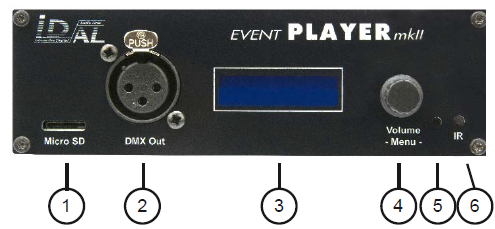
- 1: microSD card slot
- 2: DMX output
- 3: LCD display
- 4: Master volume and menu access
- 5: Activity LED
- 6: Infrared sensor for the remote control
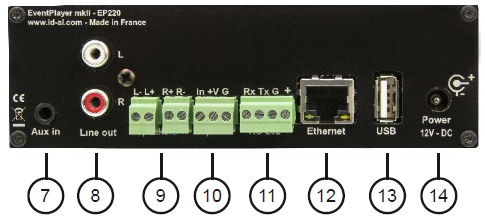
- 7: Auxiliary audio input
- 8: Line-level audio output
- 9: Amplified speaker outputs
- 10: Trigger input contact
- 11: RS232 serial connection
- 12: Ethernet connection
- 13: USB port for a flash drive
- 14: Player power supply
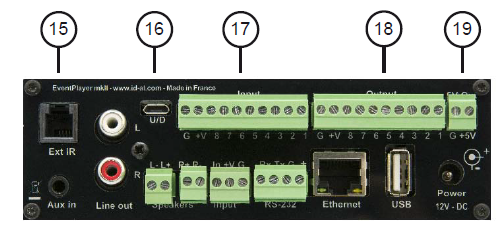
EP230 only
- 15: Remote infrared sensor connection
- 16: USB Device connection
- 17: 8 input contacts
- 18: 8 output contacts
- 19: 5V power output
First Use
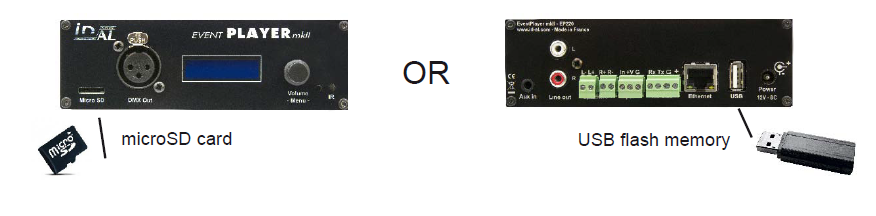
The EP230 (EventPlayer mkII) comes with factory-default settings and should operate as soon as a properly prepared storage medium is inserted (see Chapter 4).
Warning: Always make sure the player is powered off before inserting a microSD card or USB flash drive.
Connect speakers or a sound system to the audio output, then power on the player by connecting the power cable.
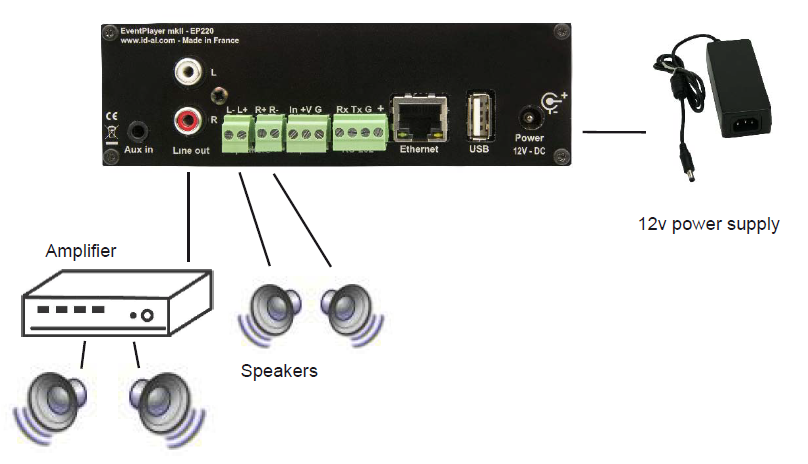
Power supply: We recommend using the power supply provided with the player. If you need to power the player using another power supply or a battery, you should use the recommended 12V DC supply, although the player can operate between 10V and 15V. Current consumption depends on the amplifier's output power level.
Input Connections
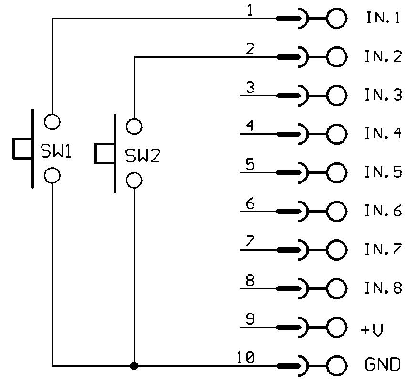
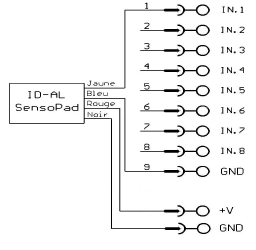
The sensor or push button connects directly to the player's trigger input.
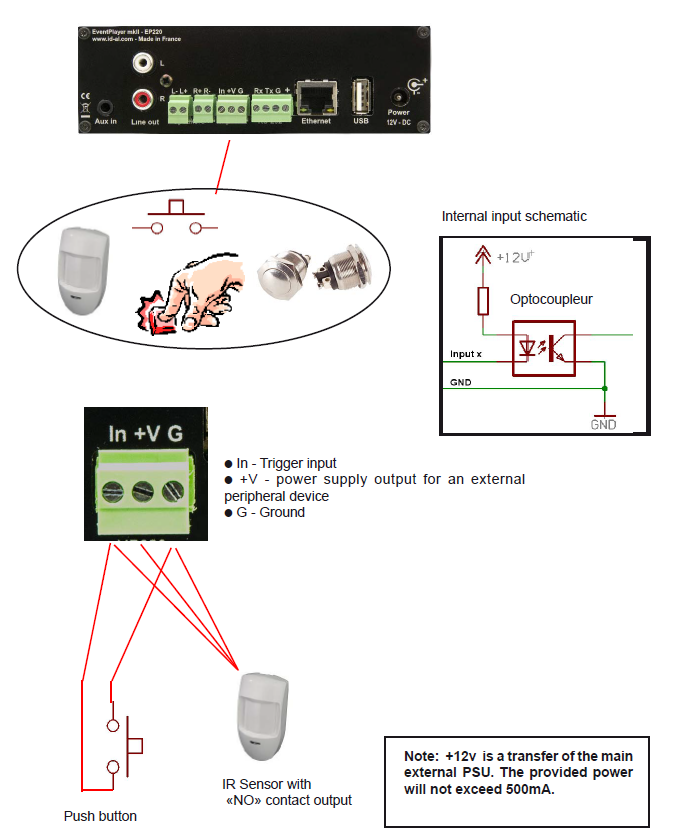
Connecting the 8 Inputs – EP230 Only
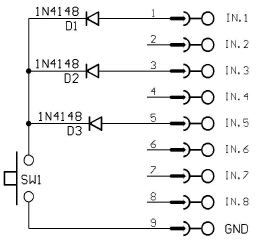
For up to 8 triggers, connections are direct. Beyond this, combinations must be created using diodes or another electronic system. The different inputs correspond to a binary representation of the folders to be triggered.
Correspondence between the 8 inputs and triggered folders:
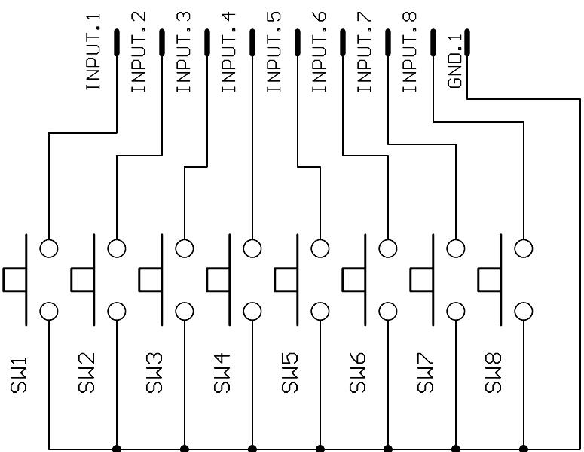
| Input | Triggered folder |
|---|---|
| SW1 | 001 |
| SW2 | 002 |
| SW3 | 004 |
| SW4 | 008 |
| SW5 | 016 |
| SW6 | 032 |
| SW7 | 064 |
| SW8 | 128 |
Correspondence between inputs and triggered folders – combination of 3 inputs:
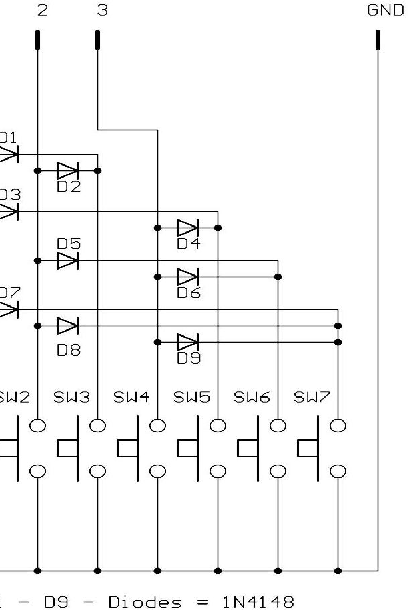
| Input | Triggered folder |
|---|---|
| SW1 | 001 |
| SW2 | 002 |
| SW3 | 003 |
| SW4 | 004 |
| SW5 | 005 |
| SW6 | 006 |
| SW7 | 007 |
Example of push buttons used to trigger folders 001 or 002
Example of an input combination used to trigger folder 021
Example of triggering folder 001 using a SensoPad powered by the player
Output Contacts – EP230 Only
The EP230 can activate output contacts to control various devices, such as lamps, relays, motors, etc. The output contacts are activated using options in folder names.
The EP230 output contacts use electronic switches called MOSFETs (see diagram below). Each output is rated at a maximum of 20V / 500mA, with a total current limit of 2A across all outputs. The outputs cannot directly switch high-power devices and are intended only for low-power equipment, such as LEDs or small relays. To switch higher-power devices, an interface must be used between the outputs and the equipment being controlled, such as a relay or an external switching unit.
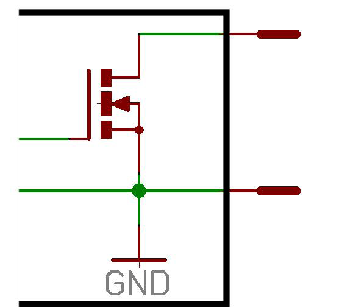
Output wiring diagram
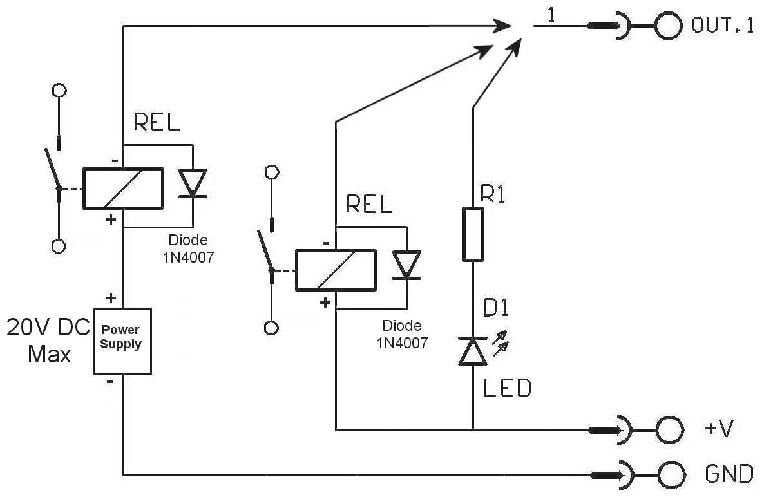
Example of an output used to control an LED or relay with an external power supply.
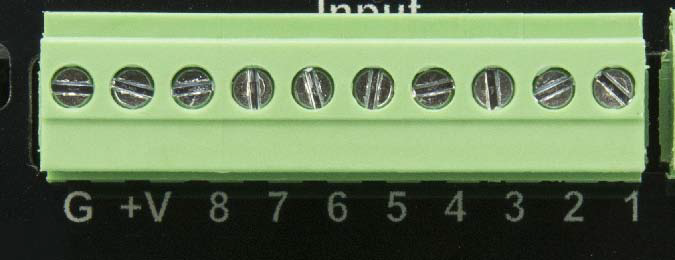
Note: The +V terminal is connected to the input power supply. With a 12V power supply, the +V terminal will also provide 12V. The supplied current must not exceed 1A.
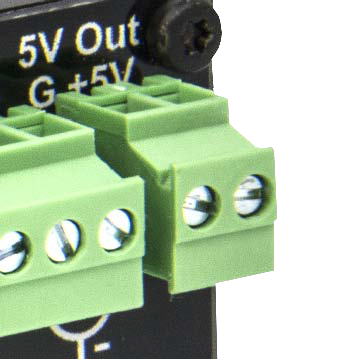
The 5V output can also be used to power a peripheral device requiring a lower supply voltage. Regulated 5V output – Max. 1A.
Was this article helpful?
That’s Great!
Thank you for your feedback
Sorry! We couldn't be helpful
Thank you for your feedback
Feedback sent
We appreciate your effort and will try to fix the article