For the player to operate correctly, files must be organized on Main Media in specific folders and subfolders according to their purpose.
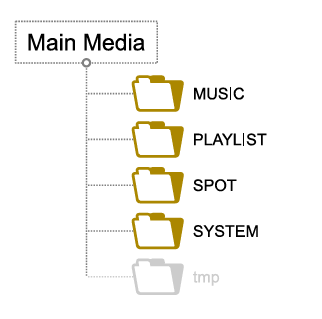
When Main Media is assigned to the player, the player automatically creates four folders at the root of the storage device:
- MUSIC
- PLAYLIST
- SPOT
- SYSTEM
For more information about Main Media, see Main Media storage.
Copy and organize your files within these four folders as described below.
MUSIC – Music folder
Create music subfolders inside the main MUSIC folder. Each subfolder name must begin with MUS, followed by three digits from 001 to 999. You can optionally add a name after this prefix and number.
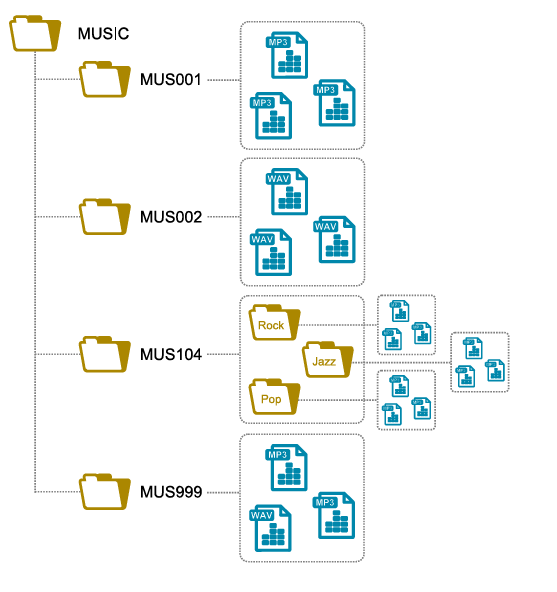
Examples:
MUS001MUS003 - Morning songs -MUS246 - Jazz musicMUS999
Within a MUSxxx subfolder, you can organize and name files freely, subject to the player's file and folder naming rules. All audio files in the subfolder are played, regardless of its internal folder structure.
Music subfolders support WAV, MP3 and encrypted MP3 files.
PLAYLIST – Playlist folder
Create playlist subfolders inside the main PLAYLIST folder. Each subfolder name must begin with PLS, followed by three digits from 001 to 999. You can optionally add a name after this prefix and number.
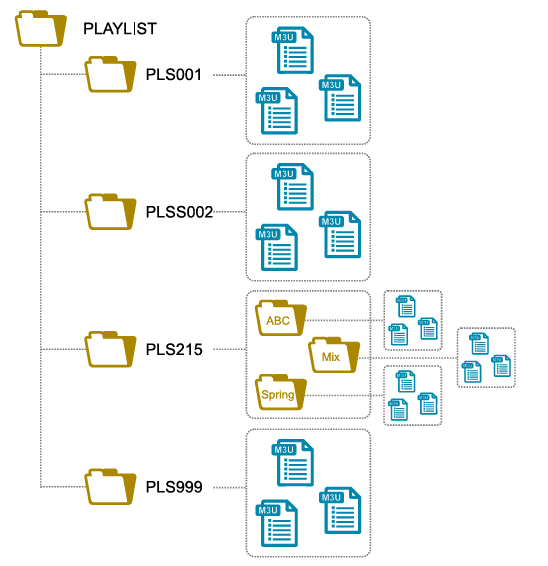
Examples:
PLS001PLS017 - Spring playlistPLS145 - Anniversary collectionPLS999
Within a PLSxxx subfolder, you can organize and name files freely, subject to the player's file and folder naming rules. All playlists in the subfolder are played, regardless of its internal folder structure.
Playlist subfolders support M3U files.
SPOT – Message and announcement folder
Create message and announcement subfolders inside the main SPOT folder. Each subfolder name must begin with SPT, followed by three digits from 001 to 999. You can optionally add a name after this prefix and number.
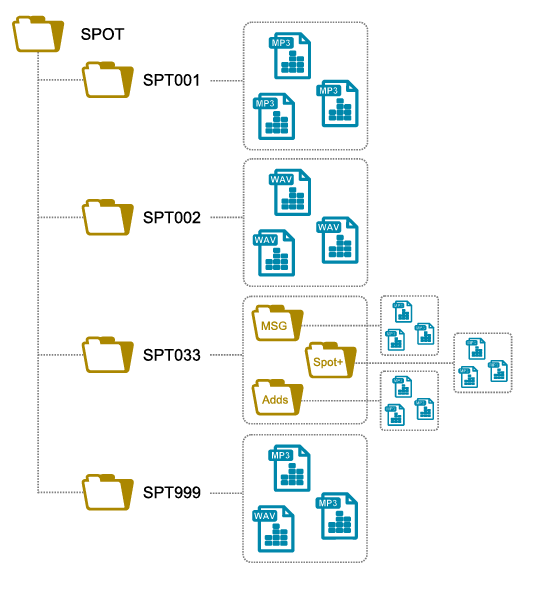
Examples:
SPT001SPT002 - Advertising messageSPT003 - Closing messageSPT999
Within an SPTxxx subfolder, you can organize and name files freely, subject to the player's file and folder naming rules. All audio files in the subfolder are played, regardless of its internal folder structure.
Message and announcement subfolders support WAV, MP3 and encrypted MP3 files.
SYSTEM – System folder
The SYSTEM folder stores configuration files and schedules.
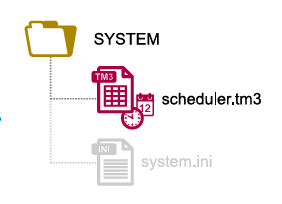
Copy files directly into the SYSTEM folder, without placing them in subfolders. File names depend on their purpose. For example, the schedule file must be named scheduler.tm3.
The SYSTEM folder supports TM3, INI, TXT and ZIP files.
Was this article helpful?
That’s Great!
Thank you for your feedback
Sorry! We couldn't be helpful
Thank you for your feedback
Feedback sent
We appreciate your effort and will try to fix the article